Figures supplied by the site owner; not independently verified.
18+ · Offer terms
18+. Bonus wording, rating and review count were supplied by the site owner and have not been independently verified. Check availability, eligibility and current bonus terms with the operator for your location. Gambling carries financial risk.
Figures supplied by the site owner; not independently verified.
18+ · Offer terms
18+. Bonus wording, rating and review count were supplied by the site owner and have not been independently verified. Check availability, eligibility and current bonus terms with the operator for your location. Gambling carries financial risk.
Figures supplied by the site owner; not independently verified.
18+ · Offer terms
18+. Bonus wording, rating and review count were supplied by the site owner and have not been independently verified. Check availability, eligibility and current bonus terms with the operator for your location. Gambling carries financial risk.
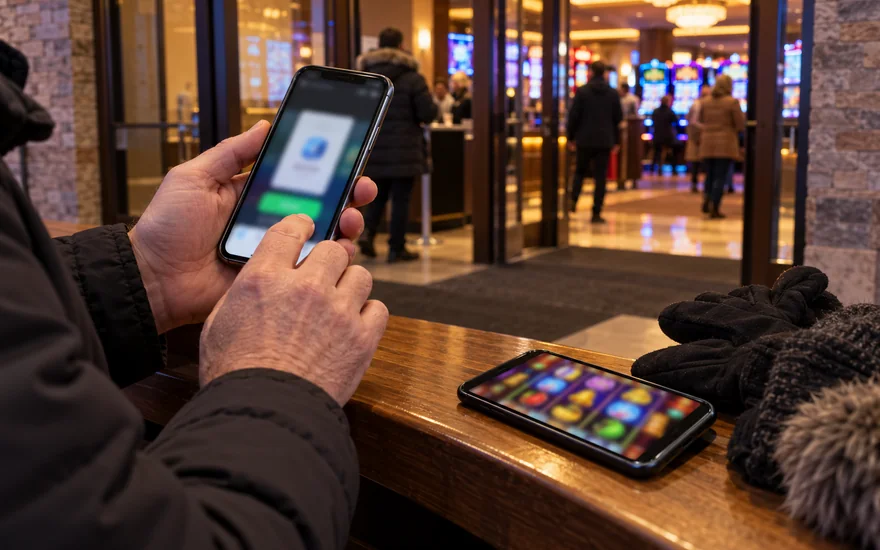
The Bet Victor app is a mobile entry point to the operator account. Follow the operator's mobile links, verify the store listing and check device compatibility before installing or entering account credentials.
Independent Canadian guide
Account and payment questions separated
CAD amounts distinguished from conditions
18+ · Offer terms apply
Identify the official access route before choosing an installation.On this page
Bet Victor app: how do you identify the intended listing?
The Canadian Apple listing names BV Gaming Limited as the developer of BetVictor Sports Bet & Casino. This identifies the observed listing; it does not authenticate another download carrying a similar brand name.
Check both the store region and application name. One publisher can distribute several regional products, so a shared brand does not establish that their account journeys are interchangeable between different markets.
Read the current compatibility information on your device before installation. A review's older operating-system requirement cannot establish whether the version now offered will run on the phone you intend to use.
iPhone installation: which checks belong before the download?
Follow the operator's link into the App Store and inspect the publisher. Read compatibility information before downloading; an available listing does not establish that every iPhone supports the version currently offered.
Check available storage when installation cannot complete. A download problem occurs before account access and should be investigated separately from rejected credentials, an account message or a game that fails after sign-in.
Allow installation to finish before opening repeated download requests. If the store shows an installation error, retain its wording so you can distinguish a device problem from an operator-account question later.
Review the opening screen before supplying credentials. Confirm that you reached the intended account journey, then use your existing details rather than creating another registration merely because you installed a mobile application.
Android access: what should you check about the download route?
Use the Android download route provided for your account market. A search result for an application package can lead to a third-party copy unrelated to the release currently offered by the operator.
Inspect publisher, region and compatibility before downloading. Similar titles and copied screenshots provide weak evidence of identity, particularly when a distributor groups several regional editions under one generic application description.
Investigate the stated reason when the official download is unavailable on your device. An older substitute may install successfully while remaining unsuitable for your account, device software or the intended service.
Browser access can provide a separate way to inspect the operator service while you resolve installation. It doesn’t establish that an unverified application package becomes trustworthy merely because its interface looks similar.
Identify the stage of a mobile problem
Stage
What to inspect
Different question
Before installation
Store identity and compatibility
Account password
During installation
Device message and storage
Withdrawal status
At sign-in
Identifier and recovery route
Game settlement
Inside a game
Connection and round history
Whether the app downloaded successfully
Browser access: when is installation unnecessary?
For occasional visits, a mobile browser avoids retaining another application. Compare whether it supports your intended task before assuming that installation is required to inspect account information or use a particular control.
Bookmark the intended operator address if you visit regularly. Inspect the address before entering credentials, especially after following messages or promotions; a bookmark reduces searching without authenticating every subsequent link you open.
Browser settings and application settings operate separately. A preference saved in one environment may not explain a behaviour in the other, even when both routes connect to the same operator account record.
The casino-app comparison checklist examines broader interface quality. This guide concerns BetVictor mobile access, while that comparison considers how navigation, readable information and account controls affect the convenience of different mobile journeys.
Sign-in: should the app create a separate account?
Use the existing account route when you already registered with the operator. Installing an application changes the device entry point; it does not provide a reason to create another personal account record.
Check the requested identifier before accepting autofill. A password manager may choose an old address or unsuccessful registration attempt when several similar entries remain stored under the operator name on your device.
If credentials are rejected, use the login guide to distinguish identifier problems from recovery and browser issues. Reinstalling the application doesn’t explain a password mismatch that also occurs through the operator's website.
Keep recovery links and confirmation codes private while resolving access. You can tell support that a message failed to arrive without forwarding information that would let another person the account recovery process.
Navigation: which screens should remain easy to find?
Locate account settings, cashier, game search and help before paid activity. Knowing how to return to these controls is more useful than judging the mobile interface by its opening promotional artwork alone.
Read the labels beside available and restricted balances. Compact layouts can hide explanations behind expandable controls, so a prominent total should not be assumed to represent money immediately available for withdrawal.
Search for the exact game and edition you intend to open. Related titles can share artwork while applying different stake controls, return settings and optional features, making appearance an unreliable rules comparison.
Check that game help remains readable at your preferred text size. Enlarging words should aid understanding without pushing the total round cost or a confirmation control beyond the usable screen area.
Mobile cashier: what changes before you authorize a deposit?
Read method, currency and amount on the confirmation screen. A saved funding preference can simplify a repeated action without establishing that the amount requested today matches the transaction you intended to authorize.
If authorization opens another application, inspect the transaction details there. Returning to the casino is a navigation event; the provider status and account history establish what happened to the attempted payment.
A home-screen icon does not by itself identify a store application.
Keep the provider confirmation and casino reference together when a deposit appears incomplete. Our payment overview explains the distinction between a provider debit, an account transaction entry and a playable-balance change.
Treat withdrawal support as a separate cashier question. A method shown for mobile deposits doesn’t establish the receiving route, processing status or account evidence needed for a later request to return funds.
Mobile confirmation checklist
Screen
Read before continuing
Record if something fails
Casino cashier
Method, currency and amount
Cashier reference
Payment provider
Matching request details
Provider status
Return to account
Transaction history and balance label
Relevant time and entry
Withdrawal request
Receiving route and available amount
Request reference
Game controls: which settings deserve attention on a small screen?
Open game help and stake settings before starting a round. Optional controls can sit behind icons, so the largest displayed number may leave important components of the selected round cost unexplained.
Check the total stake after changing a coin, line or feature setting. Several controls can influence the amount committed, and a remembered value from an earlier visit may not describe the configuration.
Separate a game's free-spin feature from account promotional spins. Similar wording can describe different triggers, balance treatment and withdrawal conditions, so read the rules attached to the rounds you are actually using.
The slot rules guide explains paylines, ways and other common arrangements. Read the individual game's own information for its return setting and settlement rules rather than transferring assumptions from another familiar title.
Connection interruptions: what should you record before retrying?
Identify whether the interruption affects account access, game loading or an active round. Locating that stage prevents an unexplained display problem from becoming an unsupported conclusion about a payment or game settlement.
If the device changed between Wi-Fi and mobile data, record that change alongside the time. It provides useful context without proving that the network transition caused the account or game behaviour observed.
Inspect round history when a game stops after deducting a stake. Animation alone cannot establish settlement; keep the title and round identifier so support can investigate the event recorded by the game.
Avoid launching repeated paid rounds merely to test a connection. First establish what happened to the interrupted event, then use the operator's help route if the history doesn’t answer the settlement question.
Updates: when does a newer version help troubleshooting?
Read the store's update information when the application behaves unexpectedly. An available update can address a known issue, but its existence doesn’t establish the cause of every account restriction or payment delay.
Keep your account recovery route accessible before making significant device changes. Reinstallation can remove local preferences or saved access convenience without altering the underlying operator record that holds transactions and account messages.
Record the installed version when reporting a reproducible display problem. That detail helps identify the environment involved, while a clear description of the screen and action explains what needs investigation by support.
Separate application updates from operating-system updates and account actions. Changing several things at once can make it harder to identify which change resolved a problem, especially when the original behaviour was intermittent.
Permissions and privacy: what should you read before agreeing?
Review the permission requested and the function it supports. Notifications, device access and optional marketing are different questions, so the presence of one prompt doesn’t explain why another permission would be needed.
Apple's listing includes developer privacy disclosures. Read those alongside the operator's application privacy information; this guide's privacy page describes a different website and cannot explain the handling of your casino account data.
After changing a permission, note its effect on your intended task. A stopped notification differs from a failed sign-in, even when both become noticeable during the same visit to the mobile application.
Keep authorization codes, passwords and recovery links out of screenshots. A useful image can show the error or status without exposing information that enables account access or confirms an unrelated payment action.
Shared devices: what remains after you close the application?
Closing the window may leave a session or credentials saved. Inspect sign-out and credential settings when somebody else uses the device, rather than assuming that a disappearing screen ended every access route.
Review lock-screen previews when notifications are enabled. Device settings can reduce exposure of account messages without requiring you to share their contents with this guide or another independent information service you visit.
Check password-manager access separately from application access. Removing an app icon doesn’t establish that saved credentials, exported screenshots or downloaded account messages have also been removed from every location on the device.
Use a device you control for sensitive account tasks where possible. If sharing is unavoidable, plan sign-out and storage decisions before opening financial records or documents, while the necessary controls remain accessible.
Different actions have different effects
Action
What it addresses
What it does not establish
Close the app
Visible window
End of every saved session
Sign out
Account session
Removal of stored credentials
Change a permission
Selected device access
Resolution of an account restriction
Uninstall
Installed application
Closure of the operator account
Uninstalling: what happens to account records and support cases?
Uninstalling is a device action. Account history, pending requests and support cases have separate operator handling, so deleting the application should not be interpreted as cancelling a withdrawal or closing the account.
Retain any reference you need before changing devices. A payment or support reference can identify an outstanding issue without keeping unnecessary screenshots containing complete financial details or copies of personal identity evidence.
To stop using the account, follow the operator's account-control route. Deleting an icon is insufficient; the support guide explains how to prepare a clear request for the account action you actually intend.
Keep the intended operator domain and recovery destination in a private record for future access. Those details support a deliberate return without assuming that a new download is the same mobile product.
Frequently asked questions
How do I find the Bet Victor app?
Follow the operator's mobile links and inspect the resulting store listing. Check publisher, region and device compatibility before installing or entering credentials, rather than relying on an application's icon or search title.
Is the BetVictor iPhone listing published by BV Gaming Limited?
The observed Canadian Apple listing identifies BV Gaming Limited as developer. Compare the current listing reached through the operator route; that evidence does not authenticate unrelated downloads using a similar name.
Can I use the mobile browser instead?
Compare browser access with the task you need to complete. Installation is a device choice, while account access, payment confirmation and game rules still need their own checks within the operator service.
Do I need another account for the app?
Use the existing account route when you already registered. Installing on another device does not justify creating another record, particularly when the problem concerns a forgotten identifier or an inaccessible recovery destination.
Why did my app deposit not appear immediately?
Check the provider status and casino transaction history before retrying. Returning from a payment application does not prove settlement, and another deposit can create a separate transaction without explaining the first one.
What should I do if a game freezes?
Record the title, time and round identifier, then inspect the available history. Ask support about recorded settlement if it remains unclear instead of treating an interrupted animation as proof of the outcome.
Does reinstalling fix a rejected password?
Reinstallation changes local application files. A rejected credential or account restriction needs its own explanation, especially when the same sign-in result occurs through the operator's website on another supported device.
Does uninstalling close my BetVictor account?
Uninstalling removes the application from the device. Account closure, pending payments and support cases require separate operator handling; use the account-control or support route for the action you actually intend to request.
Useful distinctions
Account access, payments and game rules have separate evidence.
Published information is kept apart from private account conditions.
Specialist guides follow one question at a time.
Limits to keep in view
Supplied display figures are not independent review findings.
Account-specific availability and active terms need their own check.
No result or payment timing is guaranteed.
Offer disclosure and conditions
18+. The rating, review count and headline are supplied display figures, not independently collected reviews or verified current promotion terms. Check the offer attached to your account before selecting it.
 Canada Casino